User Help System
Settlement Statistic Message Test
The purpose of this test is to verify the client system can receive and process settlement statistics messages.
- To run the settlement statistic test:
- From the Instrument drop-down, select the instrument & channel, then click Select.

- Select START TEST, then confirm

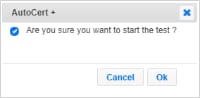 the selection.

- Over an active subscription to the Websocket Market Stats feed, subscribe to the Websocket Market Stats feed for the selected instrument.
AutoCert+ will send a statistic message through the Websocket Market Stats feed.
- Confirm the settlement price sent by the system by entering the requested value.

Note: For additional information and market data message responses, refer to CME Smart Stream on GCP JSON.


