User Help System
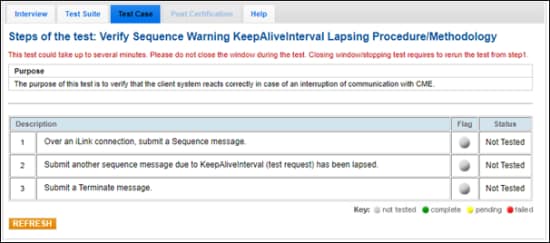
Verify Sequence Warning KeepAliveInterval Lapsing Procedure / Methodology
The purpose of this test is to verify that the client system reacts correctly in case of an interruption of communication with CME.
- To select the test:
- Select a SenderComp from the drop-down and select ASSIGN if not already assigned.
- From the Test Suite tab, select the linked test.
- Use the Instrument(s) drop down menu to choose an instrument and channel and click SELECT.
Note:
If a test is not proceeding to the next step, clicking the Refresh button ( ) below the test steps may resolve the issue.
Referential information is included for messages sent / received during the test.
- To run the Verify Sequence Warning KeepAliveInterval Lapsing Procedure / Methodology test: